





















Skip to content

What brings you to CloudLabs?

We tailor the next page to what matters most for your role. You can change this anytime from the footer.

Azure Lab Services is retiring. CloudLabs is the Microsoft-recommended alternative – Move your labs

Listed in Microsoft's Azure Lab Services retirement guide

Azure Lab Services retires June 28, 2027 Plan your migration

Transition from Azure Lab Services to CloudLabs VM Labs

The Microsoft-recommended partner solution for existing Azure Lab Services users.

Up to $2,000 in Azure credits for qualified ALS migrations.

Microsoft-Recommended Partner Solution Complete Feature Parity with ALS
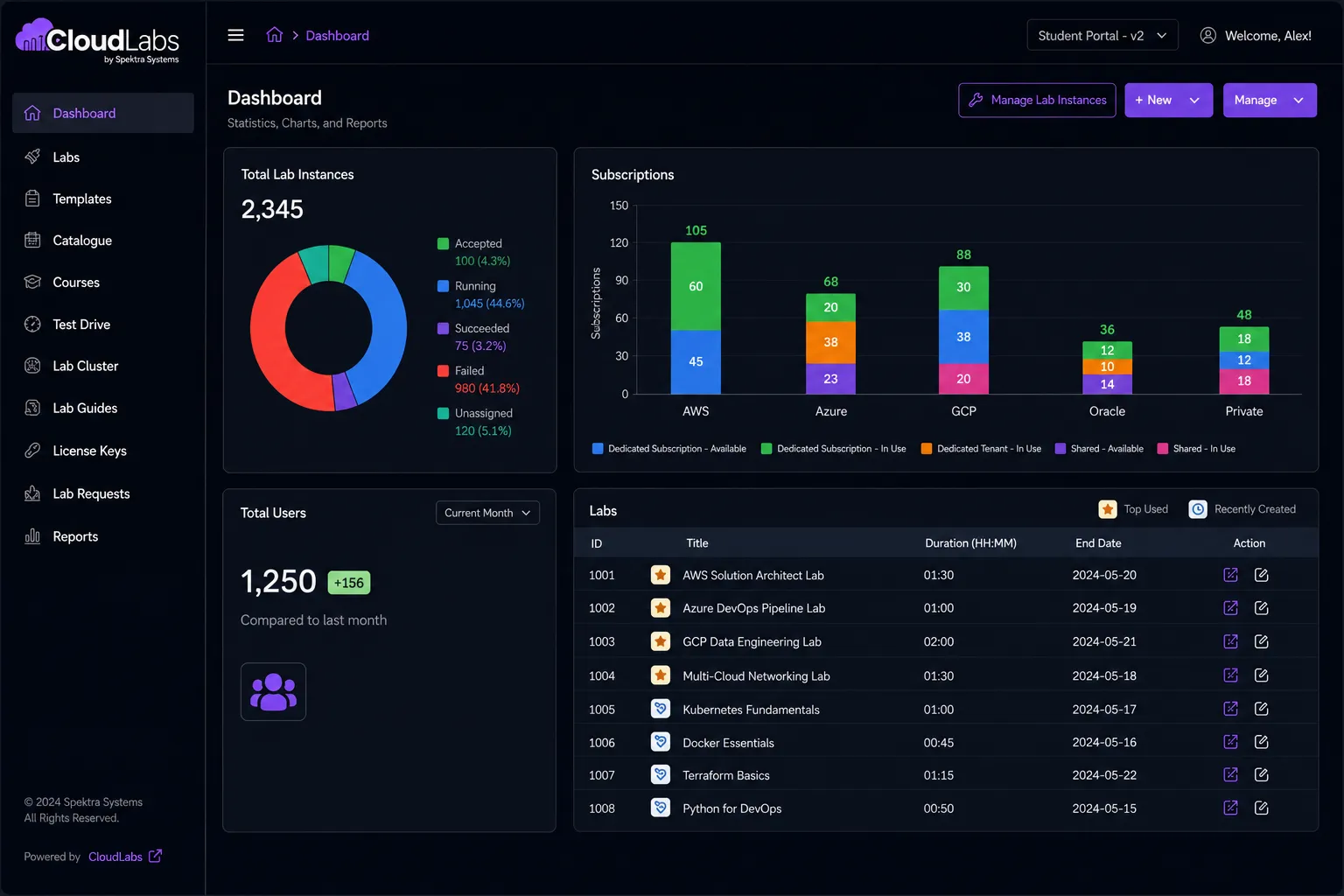
CloudLabs VM Labs admin dashboard
Our Valued Clients

CloudLabs Redefining Success

Trusted by leading institutions worldwide!

  • Austin Community College
  • Sault College
  • Seneca Polytechnic
  • University of Florida
  • MIT
  • Northeastern University
  • University of Washington
  • University of Calgary
  • Queens University
  • BCIT
  • Deakin University
  • Columbia University
  • Toronto Metropolitan University
  • UMass Boston
  • ECPI University
  • University of Waterloo
  • Bellevue University
  • Syracuse University
  • Simplilearn
  • Udacity
  • Trainocate
  • Carnegie University
  • Willis College
RETIRING JUNE 28, 2027 · NEW SIGN-UPS CLOSED

Azure Lab Services Retires Soon! Start Planning Early to Avoid Last-Minute Disruption

Get up to $2,000 in Azure credits. Evaluate CloudLabs VM Labs under guided support before committing to a full plan.

  • 01

    $2,000 in Azure credits

    Covers both platform and infrastructure usage.

  • 02

    Enterprise-ready from day one

    No feature gating, no demo or trial limitations.

  • 03

    Expert-guided transition

    Experience a hassle-free transition with our expert guidance.

  • 04

    Exclusively for ALS users

    Available only to organizations transitioning from Azure Lab Services.

What's included in your trial

01

Test the platform with real learners

Host controlled lab sessions, run live pilot tests, and collect direct actionable feedback.

02

Get end-to-end managed support

Lab setup, configuration management, automation scripting, and priority issue resolution included.

03

Explore clear migration timelines

Our experts will analyze your present lab setup and share detailed transition timelines.

04

Run LMS compatibility checks

Verify integration between CloudLabs VM Labs and your existing learning ecosystem.

See CloudLabs VM Labs in Action

Azure Lab Services vs CloudLabs VM Labs

Compare Azure Lab Services and CloudLabs VM Labs across nine critical capabilities. CloudLabs carries forward every ALS feature and adds the ones that matter.

Recommended for training teams
Azure Lab Services
Retiring June 2027
CloudLabs VM Labs
The next-generation alternative
Lab creation time
Up to 20 min
Instant
Lab publishing required
Publish required Admins must publish labs before users can access them, a process that can take up to 1 hour.
Instant No publishing step. Labs are live immediately upon creation.
Lab type
Limited Persistent only.
Flexible Persistent and non-persistent labs.
VMs per lab
1 only
Up to 5 Each with unique configurations.
VM SKU flexibility
Restricted Curated list only.
Customizable Custom vCPU, RAM, GPU, and disk.
User identity
Limited Azure AD / Microsoft accounts only.
Any identity Azure AD, Google, LinkedIn, and more.
Instructor monitoring
Not supported
VM Shadow Real-time session overview.
Lab lifecycle tracking
Not supported
Full control Filter by Active, Expired, or Deleted.
Cost reporting
Basic Azure Billing only.
Detailed Power BI reports per user and lab.
2 / 9 supported
9 / 9 supported

Estimated example pricing options

Choose between Bring Your Own Azure Subscription or a fully-managed CloudLabs subscription.

Instance size Bring Your Own CloudLabs Managed
Azure / hr Platform fee Azure / hr Platform fee
Small 2 core(s), 4 GB RAM, 128GB SSD $0.181 $12 per user / month $0.181 $6 per user / month
Medium/Standard Medium 4 vCPUs, 8 GB RAM, 256GB SSD $0.357 $0.357
Large/Standard Large 8 vCPUs, 16 GB RAM, 256GB Standard SSD $0.682 $0.682
Medium - Nested virtualization 4 vCPUs, 16GB RAM, 256GB SSD $0.433 $0.433
Large - Nested virtualization 8 vCPUs, 32 GB RAM, 256GB Premium SSD $0.809 $0.809
Small GPU - Compute 6 vCPUs, 56 GB RAM, 256GB SSD $1.151 $1.151
Small GPU - Visualization 8 vCPUs, 28 GB RAM, 256GB SSD $0.865 $0.865
Alternative Small GPU - Visualization 6 vCPUs, 55 GB RAM, 256GB SSD $0.761 $0.761
Medium GPU - Visualization 12 vCPUs, 112 GB RAM, 256GB SSD $1.723 $1.723
Medium GPU - Accelerated Visualization 6 vCPUs, 55 GB RAM, 256GB SSD $0.761 $0.761
Large GPU - Accelerated Visualization 12 vCPUs, 110 GB RAM, 256GB SSD $1.491 $1.491

*With CloudLabs, you can create custom VM SKUs with different VM size and disk configuration combinations as per your lab requirement and optimize Cloud cost for your needs. Above Example pricing uses the same lab SKUs as used by Azure Lab Services.

Example pricing scenario

  • Duration: 30 days
  • Instance: Small 2 core(s), 4 GB RAM, 128GB SSD
  • VM quota per student: 2 hours per day per student
  • Azure cost per hour: $0.181
Cost Breakdown Bring your own Managed
Azure cost (PAYG) $454.80 $454.80
Platform fees $240.00 $120.00
Total cost $694.80 $574.80

Lab features

Why Teams are Switching to CloudLabs VM Labs

We set the industry benchmark with our premier, best-in-class solution for cloud-based learning environments.

Deploy labs within minutes for Windows and Linux Operating System customized to your exact requirements.

CloudLabs VM Labs dashboard

Use cases

How Leading Teams Use CloudLabs VM Labs?

From academic classrooms to enterprise sandboxes — one platform built for every hands-on learning scenario.

Book a Demo
Students and instructors collaborating in a virtual lab environment

Academic Labs & Classroom Learning

Set up virtual lab environments for courses, assignments, and semester-long programs. Give every student access to the tools and resources they need to complete their courses.

Instructor-Led Training & Certification Programs

Prepare virtual machines with the required software and content for workshops, bootcamps, and certification training. Give learners a consistent environment from day one.

Hackathons & Technical Events

Run hands-on events with virtual machines that scale to support hundreds of participants. Provide attendees with immediate access to the environments they need.

Product Demos & Customer Trials

Share invitation-only lab environments with prospects and customers. Let users explore your product through guided, hands-on experiences before deployment.

Partner Enablement Programs

Provide partners with dedicated environments for training, solution validation, and technical readiness. Help them build confidence through practical experience.

Sandbox Environments & Proof of Concepts

Provision Windows or Linux virtual machines for experimentation, testing, and proof-of-concept projects. Explore new ideas without affecting production systems.

  • 10+

    Years of industry expertise

  • 5M+

    Labs provisioned worldwide

  • 1M+

    Participants upskilled

  • 50K+

    Events supported

CloudLabs VM Labs transition paths

Start fresh with a new lab program or migrate from your existing Azure Lab Services setup. Both paths are fully supported.

  1. Get started

    Create your CloudLabs account and get started.

  2. Create VM images

    Use the CloudLabs portal to create and test your VM images.

  3. Set up labs

    Configure your labs with new resources and settings.

  4. Go live

    Deploy your newly created labs, ready for immediate use and distribution.

CloudLabs VM Labs Transition Paths
Start fresh Migrate existing labs
  1. Get started

    Create your CloudLabs account to start your migration journey.

  2. Migrate VM images

    Use the CloudLabs migration script to migrate or replicate your VM images.

  3. Migrate labs

    Migrate labs from your existing Lab Account and Lab Plan using the migration tool.

  4. Go live

    Migrated labs are ready for deployment and distribution.

Case Studies

Real results, real impact

See how our solutions have empowered educational institutions to achieve remarkable success.

Client Stories

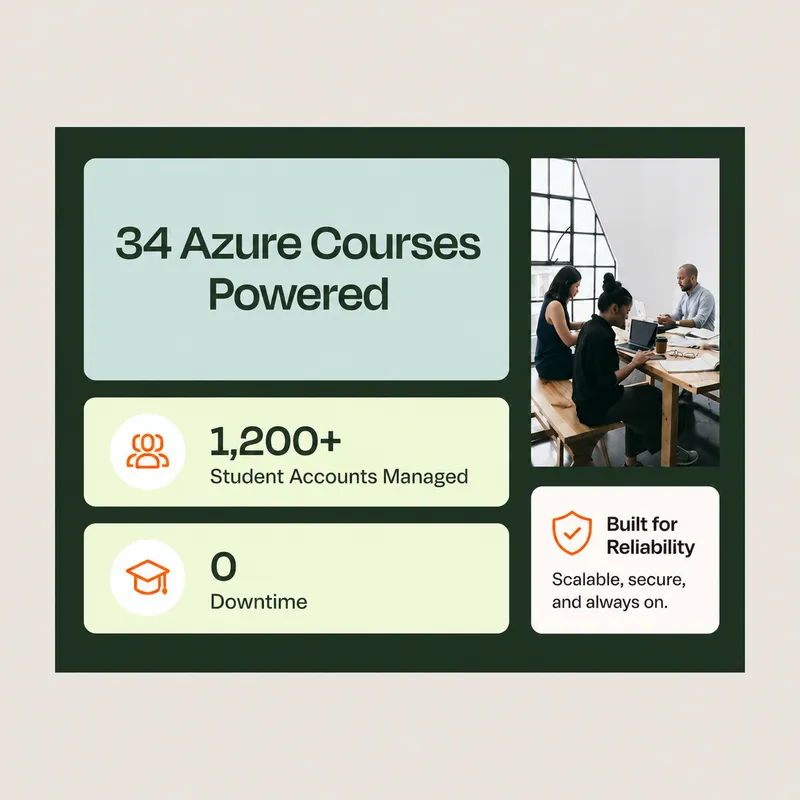
WeareincrediblypleasedwithourexperienceusingCloudLabsbySpektraSystems.Theirresponsivenessandsupporthavebeennothingshortofoutstanding.Theydemonstratedremarkableflexibilityinaccommodatingouruniqueprocesses,resultinginaseamlessandhighlyproductivecollaboration.ThankstoCloudLabs,wehavesuccessfullydeliveredAzure-relatedcoursestoasubstantialnumberofstudents.
David TrinhTal Ein-HabarHåkan ForsbergNina SuiArmando LacerdaJeff FaticCoree Mahoney
David TrinhAcademic Program Manager, Seneca Polytechnic
Seneca Polytechnic
Migration tool

CloudLabs Migration Tool

CloudLabs Migration Tool offers a user-friendly interface for seamlessly migrating and replicating your VM images. Effortlessly migrate your labs from existing Lab Accounts and Lab Plans for a smooth transition. Suitable for scenarios with complex VM images and a large number of labs.

Your subscription

Bring your own Subscription

Prefer to use your own Azure subscription? With CloudLabs, you have the option to bring your own Azure account and keep billing under your existing tenant.

Discover CloudLabs on the Microsoft Marketplace

Buy our solutions directly from the Microsoft Marketplace and manage payments through your Azure subscription for a seamless experience. Enjoy the convenience, security, and exclusive offers available on the platform.

Support tier options

Enhance your support experience by selecting from a range of customizable tier options tailored to your business requirements.

Standard support is available to all customers at no additional cost.

  • Standard Edition

    Included for all customers

    Contact methods
    Email
    Initial response time
    4 hours
    Availability
    24 / 7
  • Popular

    Premium Edition

    Standard Edition Support+

    Contact methods
    Email, Live Chat
    Initial response time
    15 minutes
    Availability
    24 / 7
  • Enterprise

    Enterprise Edition

    Premium Edition Support+

    Contact methods
    Custom contact
    Initial response time
    Custom SLAs
    Availability
    24 / 7
24×7 Globally

Global Support Options

Regional data residency and multilingual support built for global teams. Select your preferred region for compliance and control over VM location. Access support in a variety of languages for a truly inclusive and seamless global experience.

English Español Français Deutsch Italiano 日本語 한국어

North America

US and Canada delivery hubs

EMEA

Europe, Middle East and Africa coverage

APAC

Asia-Pacific and Australia delivery

FAQ's

ALS migration FAQ

VM Labs free trial

Start your free trial

Set up CloudLabs VM Labs and run your first labs before Azure Lab Services retires.

  • Access enabled within 24 hours

    Your trial is set up for you: create up to 5 labs with 3 deployments per lab.

  • Up to $2,000 in Azure credits

    Available for qualified Azure Lab Services migrations.

  • Migration tooling and expert guidance

    Move your lab plans, lab accounts, and VM images with help from our team.

  • LMS compatibility checks

    Verify integration between CloudLabs VM Labs and your existing learning ecosystem.

Request your trial

Submit the form and your access will be enabled within 24 hours.

By clicking Submit, I agree to the use of my personal data in accordance with the Spektra Systems Privacy Notice. Spektra Systems will not sell, trade, lease, or rent your personal data to third parties. The Google Privacy Policy and Terms of Service apply.