Free Practice Tests for Microsoft Cloud Certifications

Free Practice Tests for Microsoft Cloud Certifications
We are excited to announce the general availability of CloudLabs app within Microsoft Teams. At this time, it includes Microsoft practice test for exam readiness, available for free for all Teams users.
IT Professional, students & others aspiring to appear for Microsoft Certifications can leverage the practice tests to be exam-ready and validate their skills.
Within the Teams workspace, users can now prepare, practice, and explore various certification questions for top Microsoft Cloud exams and complete their certification goals.
Each practice test is curated to cover the exam syllabus and provides an exam like experience to test course knowledge.
In the coming months, CloudLabs App will be extended to bring new learning experiences including demos, virtual labs, challenges, etc. within your Teams workspace.
Free Practice Tests Available today:
- AZ-900: Microsoft Azure Fundamentals
- AI-900: Microsoft Azure AI Fundamentals
- DP-900: Microsoft Azure Data Fundamentals
- SC-900: Microsoft Security, Compliance, and Identity Fundamentals
- MS-900: Microsoft 365 Fundamentals
- PL-900: Microsoft Power Platform Fundamentals
Add CloudLabs App to your Teams Account
How to Access CloudLabs Practice Tests within Microsoft Teams
Before you can start using CloudLabs Teams app, you will require a Microsoft Teams Account. If you already have a teams account, you can add CloudLabs to your existing account for free.
- Login to Microsoft Teams app or browser using your personal or work account. If you do not have a teams account, you can sign up here.
- On your Teams Desktop app or in browser, click on the Apps icon and search for CloudLabs, as shown below.
- If you do not the see the App within Store, you may add it directly from Microsoft App Source – https://appsource.microsoft.com/en-US/product/office/wa200003273
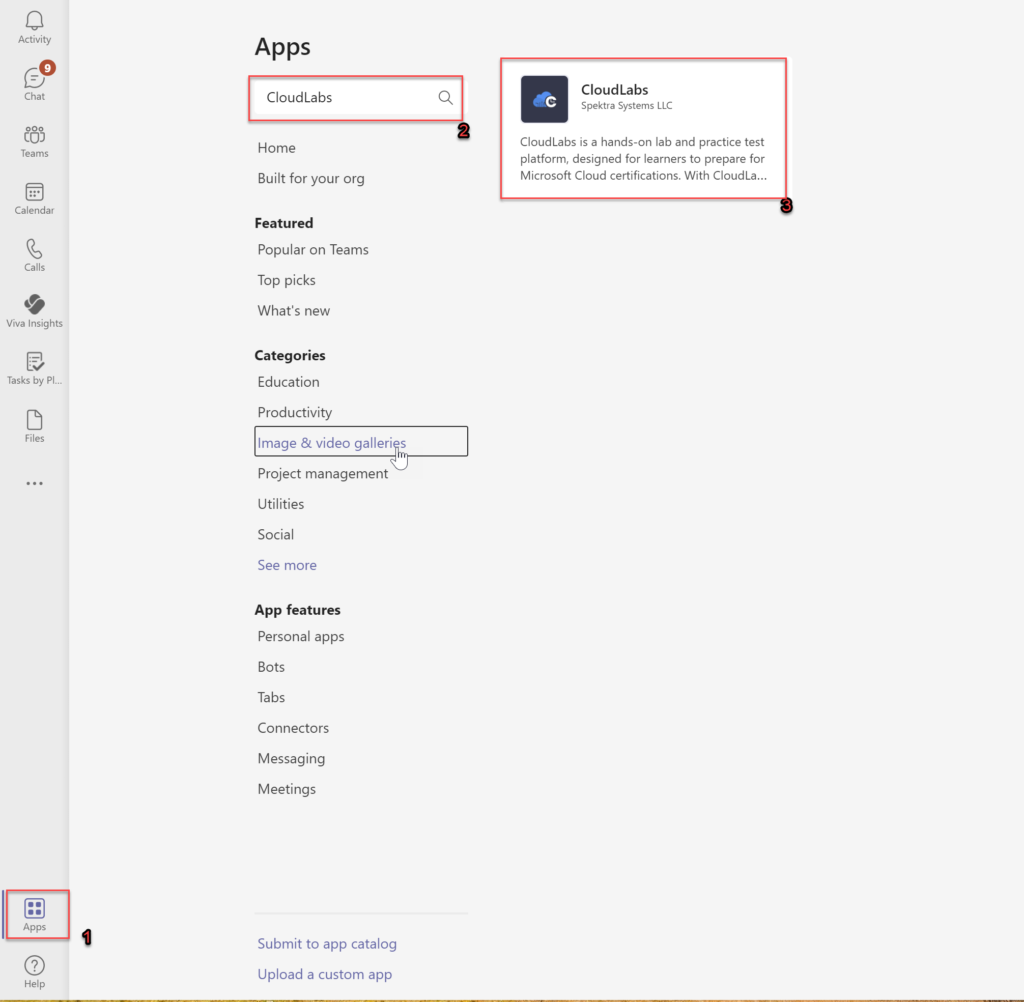
- Click Add on CloudLabs App.
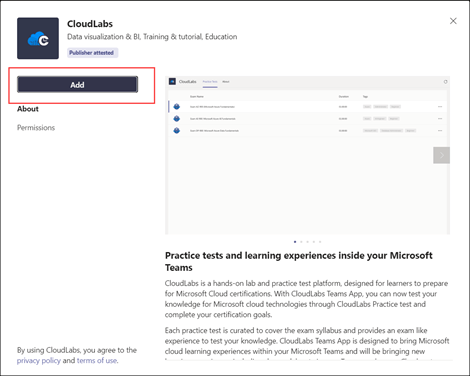
- Click on Continue to proceed.
- You may be prompted to login using your Teams Account password again, Enter your password and click on Sign in.
- Accept the required permissions. CloudLabs Teams App requires access to your basic account information (Name, Email) to be able to provide personalized experience. It does not requests access to any other aspects of your account.
- Once the App is added to Teams app, the list of the available practice tests will be displayed. Click on the Practice Test you wish to pursue.
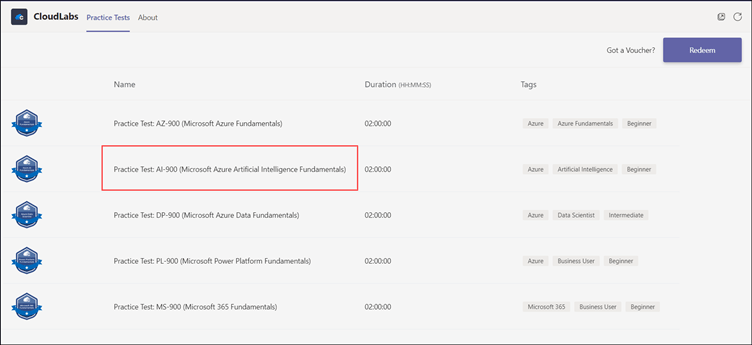
You can now pursue the practice test you wish to attempt. You have multiple attempts available for the exam. Learners may contact moc-support@spektrasystems.com incase of questions or issues about CloudLabs Teams App & Practice tests.
Get Practice Tests for Other Microsoft Certification Exams
In addition to fundamental exams, CloudLabs also provides practice tests for various other Microsoft official exams such AZ-104 (Azure Administrator), DP-203 (Data Engineering on Microsoft Azure) etc.
Please contact us to enquiry for bulk purchase or any other sales enquiry.