Hands-On Virtual Labs Built Around Your Exact Use Case
Build and deliver hands-on learning, product experiences, technical training, demonstrations, proof-of-concept initiatives, and enablement programs through fully managed virtual labs tailored to your exact use case.
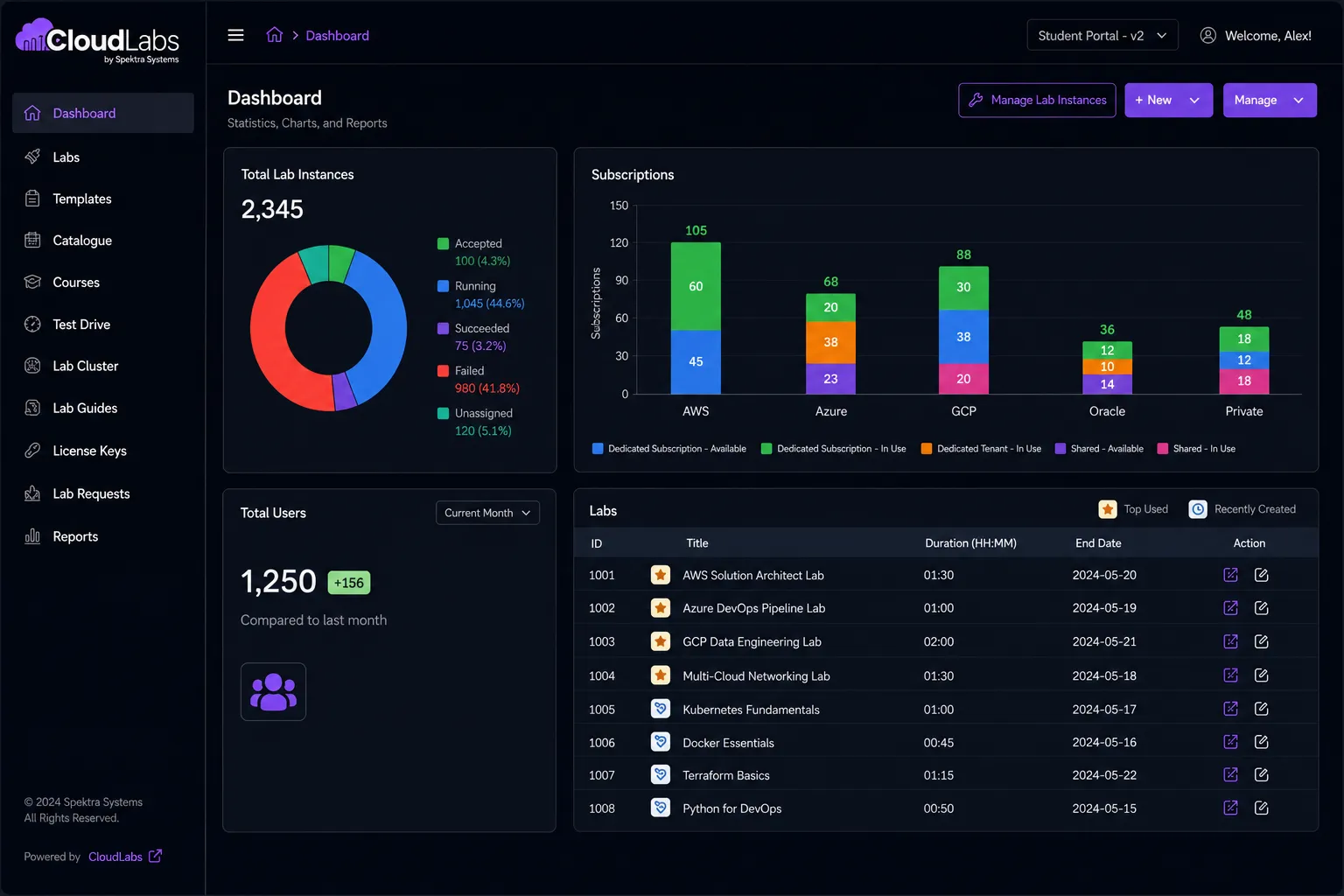
CloudLabs Redefining Success
Most Trusted Lab Provider for Global ISVs, Enterprises, Educational Institutions, & Ed-Tech companies of all sizes

























- Microsoft
- MIT
- IBM
- Accenture
- Capgemini
- Columbia University
- Tech Mahindra
- Infosys
- University of Washington
- Palo Alto Networks
- Deakin University
- Kyndryl
- Cognizant
- Databricks
- Simplilearn
- Datadog
- Check Point
- Seneca Polytechnic
- Sophos
- Red Hat
- Udacity
- Cloudera
- BCIT
- VMware
- Trainocate
- Axonius
- Netskope
- Barracuda
-
10+
Years of industry expertise
-
5M+
Labs provisioned worldwide
-
1M+
Participants upskilled
-
50K+
Events supported
Why Leading Teams Choose CloudLabs?
From hands-on learning and workforce readiness programs to product demonstrations, sandbox environments, technical enablement, and proof-of-concept initiatives, CloudLabs helps teams deliver impactful cloud experiences at scale.
Talk to us
Deploy Virtual Labs Exactly Mapped to your Use Case
Choose from 1000+ pre-built virtual labs or work with CloudLabs to build custom environments aligned with your products, curriculum, technologies, and unique objectives.

Simplified Cost Control and Lab Management
Provision environments on demand, automate lab lifecycle management, and maintain visibility into usage, resources, and cloud consumption across every program.

24/7 Support
Get dedicated support from our team of expert professionals 24/7 across 365 days. Share your queries and let them share accurate information for quick issue resolution.
CloudLabs Platform Flexibility & Customization
Build Labs Around Your Exact Requirements
Shape lab environments the way you need them. Set up infrastructure, workflows, user access, branding, and integrations on your own terms.





How CloudLabs Delivers
Get Started with CloudLabs
From mapping your needs to final deployment, CloudLabs works with your team to design, build, refine, and deliver hands-on lab experiences aligned to your exact goals.

01 Scope
Define your audience, lab scenarios, skill levels, learning objectives, and the outcomes that matter most to your team.
02 Configure
Team CloudLabs will set up the cloud environment, tools, dependencies, access controls, and infrastructure requirements needed to support the experience.
03 Build
We work closely with you to create guided instructions, hands-on tasks, and completion criteria while conducting internal quality checks.
04 Dry-Run
Pilot the lab with a small test group, gather feedback, fine-tune difficulty, improve instructions, and refine the overall experience before launch.
05 Launch
Deploy through CloudLabs or your LMS, monitor engagement, and support learners throughout their hands-on experience.
Use Cases
Virtual Hands-On Labs Built for Every Team
Showcase the real value of your product, enable employees, deliver technical training, or support classroom learning. CloudLabs helps teams create engaging hands-on experiences through browser-based virtual labs.
ISVs
Deliver hands-on product experiences that help prospects evaluate, customers adopt, partners enable, employees learn, and technical teams support your product with confidence.
- ISV GTM
Run immersion workshops, technical events, and product experiences that help prospects engage with your product before they buy.
Explore ISV GTM - Customer Enablement
Provide customers with hands-on environments that accelerate onboarding, adoption, and product proficiency.
Learn more - Partner Enablement
Equip partners with practical product experience to improve readiness, positioning, and sales effectiveness.
Explore Partner Enablement - Employee Enablement
Train internal teams through guided virtual labs that build product knowledge and confidence.
Learn more - Support Engineering
Provide sandbox environments for troubleshooting, issue reproduction, testing, and validation.
Explore Support Engineering - Recruitment
Assess technical talent through hands-on lab challenges and practical evaluations.
Explore Recruitment

Educational Institutions
Let learners access safe, controlled learning environments in the cloud. Help them practice and apply concepts through hands-on virtual labs.
- Higher Education
Deliver practical learning experiences through cloud and virtual machine labs aligned with academic programs and technical disciplines.
Explore Higher Ed - K-12
Provide students with safe, browser-based environments for technology exploration, experimentation, and digital skills development.
Explore K-12 - EdTech
Enhance digital learning experiences with hands-on virtual labs that increase learner engagement and practical skill development.
Explore EdTech - AI Curriculum
Support AI and emerging technology programs through hands-on environments that allow learners to apply concepts in practice.
Explore AI programs - Cyber Range
Deliver realistic cybersecurity exercises and cyber defense simulations in isolated training environments.
Explore Cyber Range - Azure Lab Services Replacement
Transition from Azure Lab Services to scalable cloud-based virtual labs with greater flexibility and control.
Learn more - Physical IT Lab Replacement
Replace traditional computer labs with browser-based virtual environments that reduce infrastructure complexity and improve accessibility.
Learn more

Enterprises
Onboard new talent, enhance workforce skills, and accelerate technology adoption through hands-on virtual lab experiences.
- Internal Upskilling
Help employees build practical technical skills through guided virtual lab experiences.
Explore Upskilling - Employee Onboarding
Accelerate ramp-up with hands-on learning environments that help new hires learn by doing.
Learn more - Innovation Hackathons
Provide ready-to-use environments for innovation programs, hackathons, and technical challenges.
Explore Hackathons - Customer Success & Support Enablement
Equip customer-facing teams with practical environments for training, troubleshooting, and product expertise.
Learn more - Physical IT Lab Replacement
Modernize training and testing infrastructure through scalable cloud-hosted virtual labs.
Learn more
For Partners, GSIs & Distributors
Scale technical enablement, solution readiness, and project delivery through hands-on virtual environments.
- GSIs
Support implementation teams with hands-on environments for project staging, solution validation, and technical readiness.
Explore GSI solutions - Microsoft Partners
Build the technical expertise, certification readiness, and solution-selling capabilities needed to grow your Microsoft practice.
Explore Microsoft Partners - AWS Partners
Equip teams with the hands-on AWS experience needed to improve technical proficiency, solution delivery, and customer success.
Explore AWS Partners - Channel & Distribution
Scale reseller enablement, certification readiness, and solution expertise across your partner ecosystem through hands-on virtual labs.
Explore Channel - GSI Sandboxes
Create isolated project staging and testing environments that mirror real customer deployments.
Learn more - Partner Enablement
Deliver scalable technical enablement programs across your partner ecosystems.
Explore Partner Enablement - Technical Training
Provide hands-on learning experiences that help partners develop product and platform expertise.
Explore Technical Training - Project Readiness
Give delivery teams access to practical environments for validation, testing, and deployment preparation.

Core Capabilities
Everything You Need to Run Hands-On Labs at Scale
A full stack of capabilities for multi-cloud deployment, ISV SaaS integration, instructor shadowing, and usage reporting. The same engine powers a one-hour demo and a 17,000-cluster summit.
-
Browser-Based Access
Users launch and run labs directly from the browser. No setup, no installation, no client software required.
-
Multi-Cloud and BYOC
Run labs on Azure, AWS, GCP, Oracle, or bring your own cloud subscription. Same lab, same UX, your billing.
-
LMS Integration
Plug into Moodle, Canvas, and other LMS platforms via LTI 1.1 and 1.3.
-
Instructor Shadow
Real-time over-the-shoulder view of any learner lab. Annotate, intervene, capture, and certify mid-session.
-
Usage and Cost Reporting
Per-user metering, budget caps, idle detection, and detailed Power BI dashboards.
-
24x7 Support
Continuous support for lab setup, troubleshooting, and live event operations whenever you need it.
Multi-Cloud
Deploy Hands-On Virtual Labs on the Cloud of Choice with Consistent Controls
 Azure Azure |  AWS AWS |  GCP GCP |  Oracle Oracle | |
|---|---|---|---|---|
| Cloud credentials with budget controls | ||||
| Per-user usage monitoring | ||||
| Automatic resource shutdown | ||||
| Browser-based access | ||||
| LMS / LTI integration | ||||
| Isolated environments per learner | ||||
| IAM / RBAC controls | ||||
| Automated provisioning | ||||
| Lab lifecycle management | ||||
| Cost visibility and governance |
CloudLabs vs DIY
CloudLabs Hands-on Labs vs DIY Product Environments
Many teams try to build and manage their own lab environments. Here is how that compares with a fully managed CloudLabs deployment.
| CloudLabs Hands-on Labs Fully managed · instantly deployable Recommended | DIY Product Environments Build and maintain it yourself | |
|---|---|---|
| Deployment | ||
| Setup time | Pre-configured, ready in minutes | Manual setup for every environment |
| Time to launch | Minutes to hours | Days to weeks |
| Automation | Built-in deployment, reset, and cloning | Custom scripting required and ongoing upkeep |
| Environment consistency | Standardized across all users | Variations common across setups |
| User Experience | ||
| User access | Browser-based, no installation needed | Often requires VPNs or local setup |
| Lab guides & workflow | Integrated step-by-step guides with completion tracking | Separate docs and manual tracking |
| Multi-VM and complex setups | Supported out of the box | Complex to design, deploy, and maintain |
| Operations & Scale | ||
| Scalability | From small cohorts to tens of thousands of users | Extra infrastructure planning required at scale |
| Cost management | Budget caps, idle detection, and auto-shutdown built in | Harder to monitor and control spend |
| Maintenance effort | Fully managed by CloudLabs | Requires dedicated internal resources |
| Reliability | Built for consistent performance across sessions | Depends on internal infrastructure quality |
| Support & Integration | ||
| Instructor support | Shadow VM with real-time monitoring and assistance | Limited visibility into learner environments |
| Integration | LMS, LTI, APIs, and custom portals | Requires custom development work |






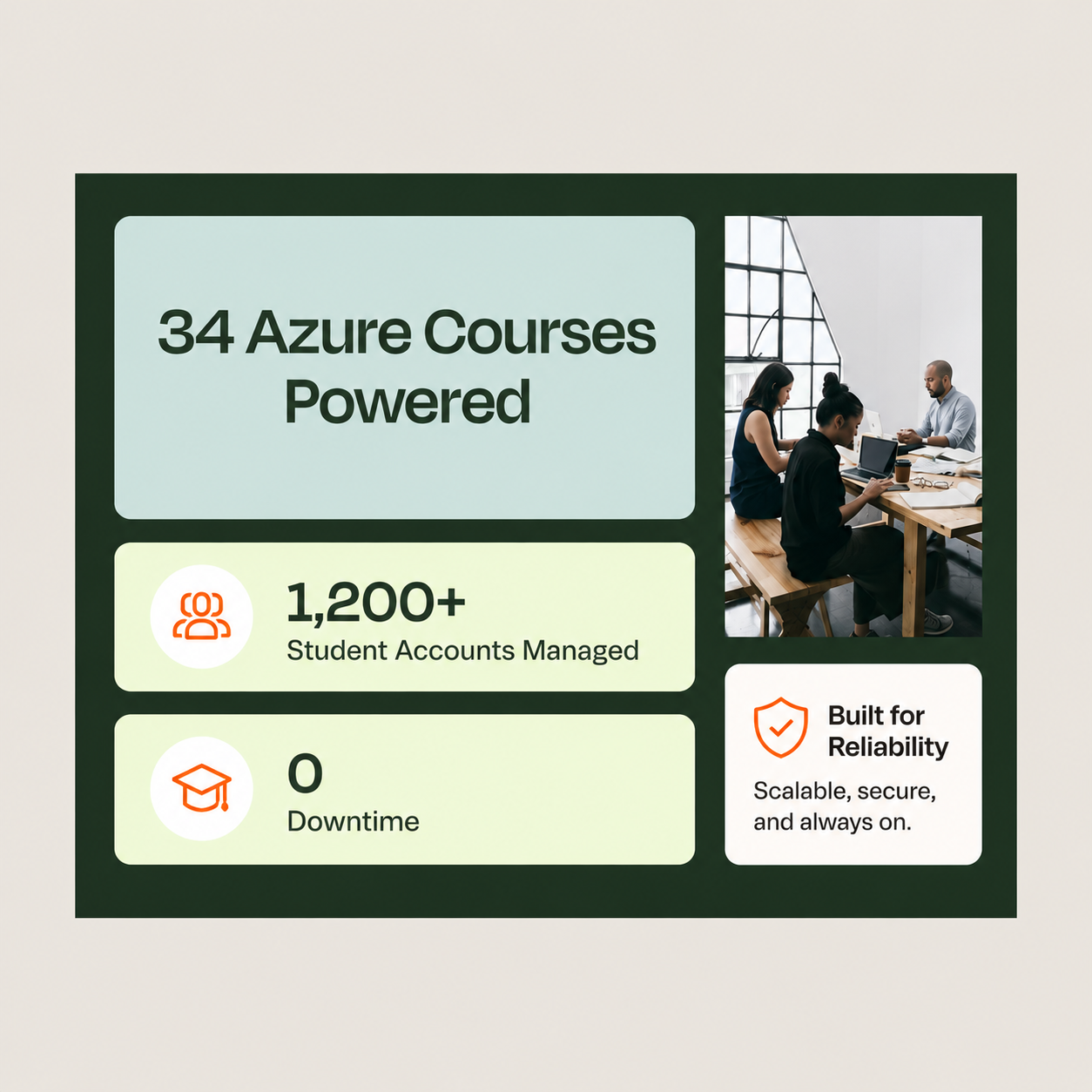
See How Teams Put CloudLabs to Work
Dive into real customer stories across enterprise, education, and training. See the results they've achieved with CloudLabs.
.DSjdzFJG.png)

Start with a CloudLabs POC
Evaluate Your Lab Setup Before You Scale
Test real use cases, align the environment to your product, and reduce rollout risk with expert-led support from day one.
-
Test Real Use Cases
Run your actual product workflows in a lab environment before full deployment.
-
Build the Right Environment
Work with CloudLabs experts to configure labs based on your exact requirements.
-
Run Pilot Programs
Launch labs with internal teams or selected users and gather real feedback.
-
Ensure Performance & Scale
Evaluate the environment performance, integrations, and scalability early.
-
Reduce Setup Risks
Identify gaps and optimize workflows before rolling out to larger audiences.
-
Get Guided Support
Receive hands-on assistance for setup, automation, and troubleshooting at every step.
Scope Your CloudLabs Pilot
Talk to a CloudLabs specialist about your use case.
FAQ's